Performance monitoring, installed in two clicks.
Raptify installs from the Shopify App Store like any other app. No theme edits, no Liquid, no snippet for a developer to deploy. Catch the slowdown the morning a theme update, a new app, or a third party tag drags down your conversion rate, not three weeks later when sales dip.
Built for how Shopify works
Install it like an app, because it is one.
Most monitoring tools hand you a JS snippet and wish you luck with your theme. Raptify never touches your store: it watches from the outside, the way your customers see it.
- Install in two clicks via the Shopify App Store.
- No theme edits, no Liquid changes, no JS snippet to deploy. Nothing added to your store that could slow it down.
- Billing through Shopify, on the same invoice as your other apps. No new vendor to onboard.
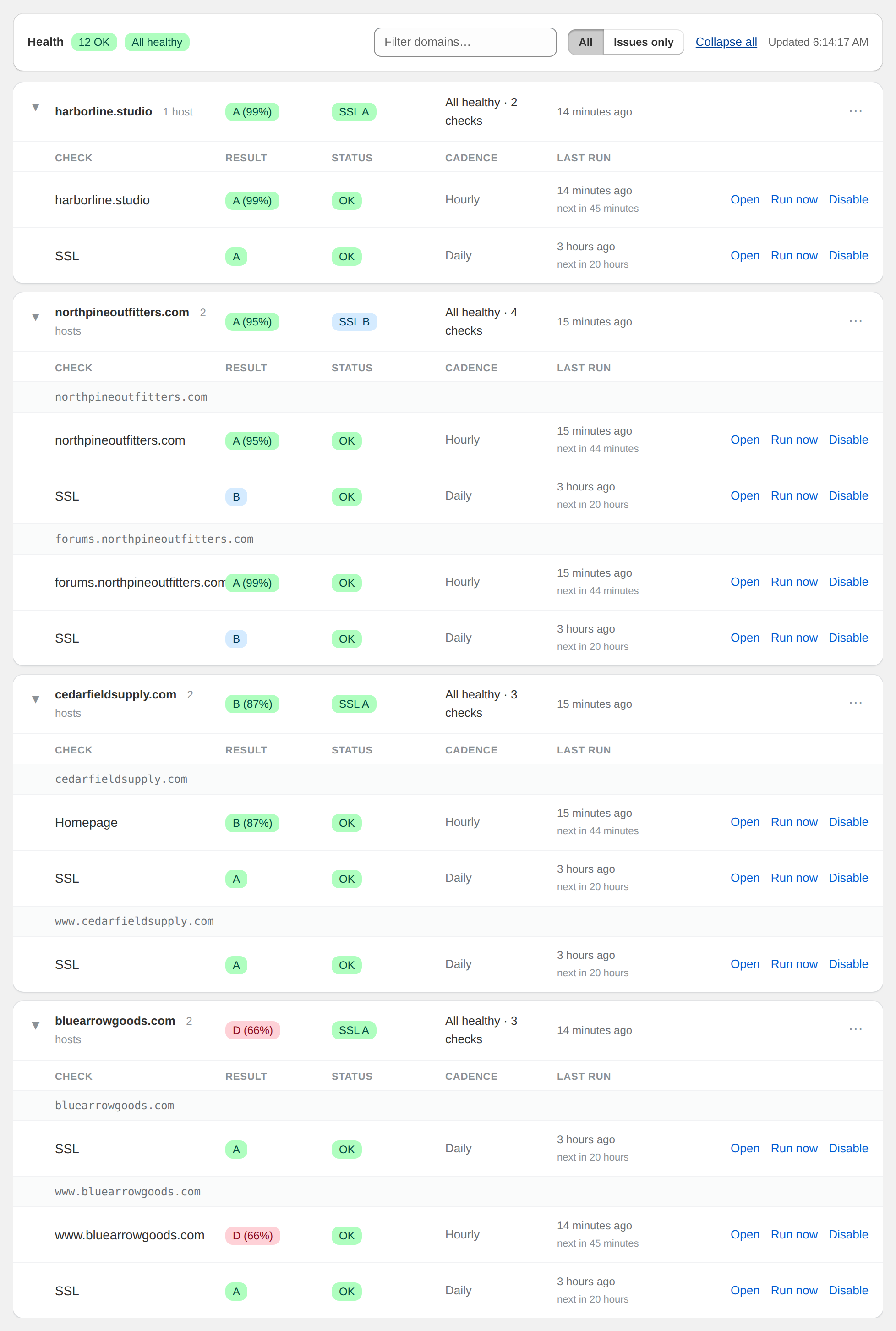
- Scan home, collection, product, cart, and checkout pages on a schedule.
Why stores need it
Designed for the way Shopify stores actually slow down.
Generic monitoring tools do not know what a theme update is. Raptify tracks the moments that move the needle on a real store.
App installs
Every app adds scripts. Raptify shows you which apps slow your store down, and what they cost you, the morning after you hit install.
Theme updates
A theme version bump can shift layout and tank your LCP. Screenshots and Core Web Vitals on every run make the change obvious.
Pixels and tags
Klaviyo, Meta pixel, Google tag, chat widgets. Every script categorized, with its request cost next to it.
Image-heavy refreshes
Seasonal collections ship heavy images. Page weight and payload are tracked per page, so the bloat shows up in the trend.
Broken pages
Broken Liquid templates, 404 collections, JS errors, and dead links, surfaced before your customers find them.
Slow drift between audits
Scripts accumulate between the big seasonal cleanups. Trend lines make the drift impossible to ignore.
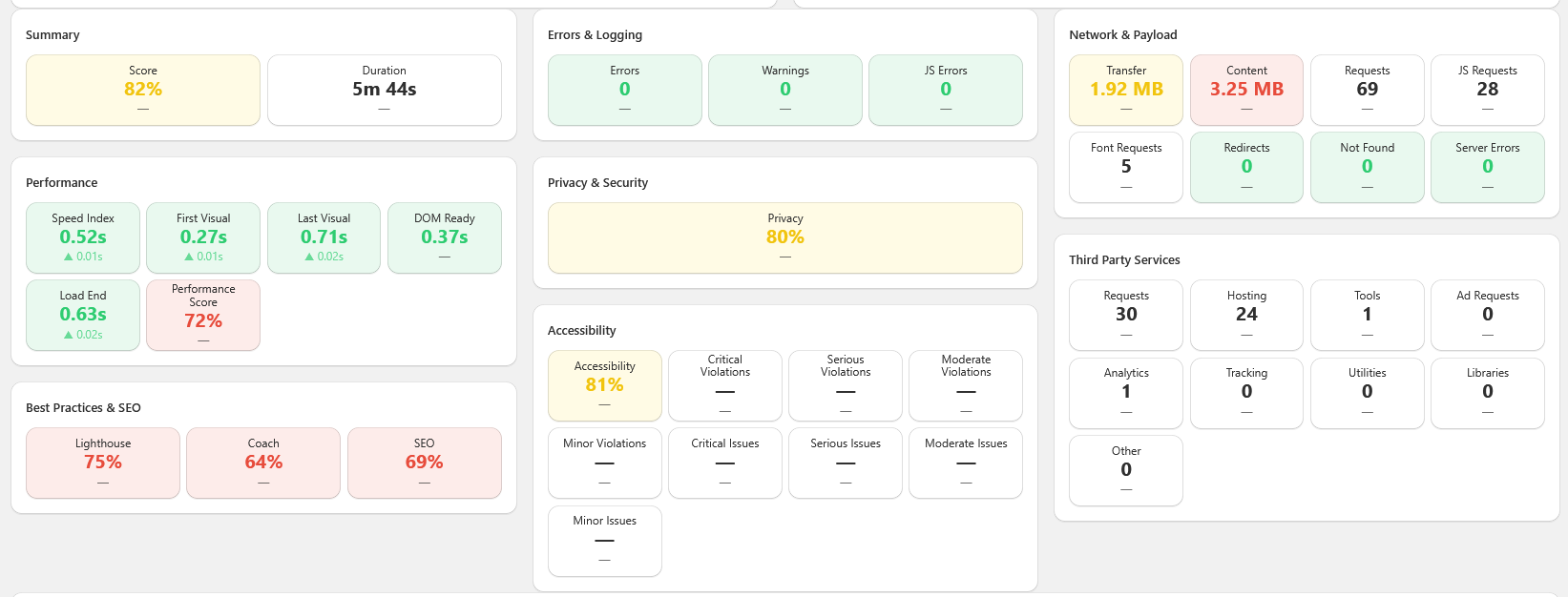
Every signal, one scan
The full Raptify scanner, pointed at your store.
Core Web Vitals, Lighthouse, Axe, and Coach audits, third party services, errors and broken links, network payload, privacy, and SSL. Every run, every page, no configuration required.
See every change that matters
Trends, not snapshots.
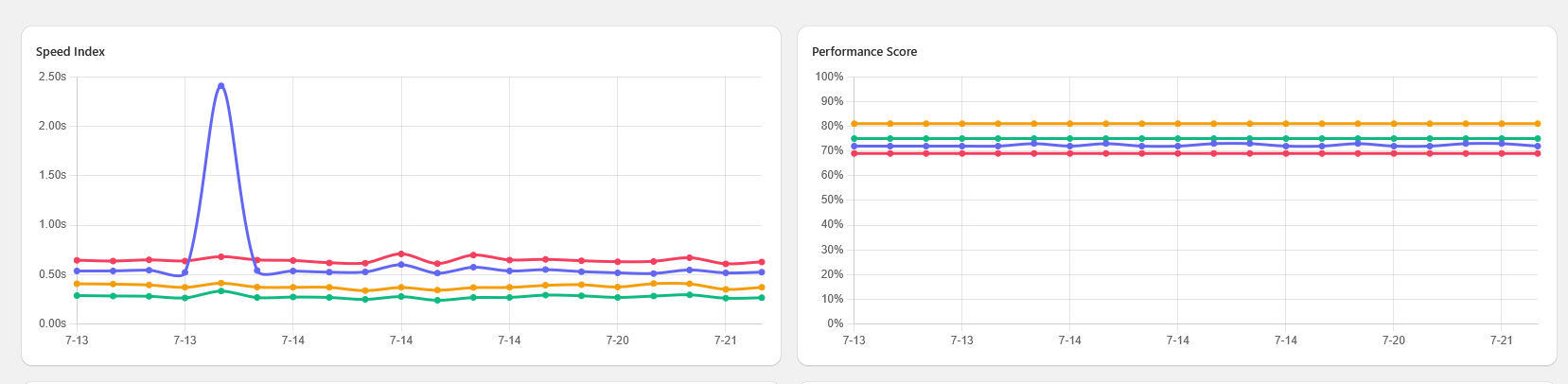
The day you installed that new abandoned-cart app, did your Speed Index drop? Did your Coach score slip after the last theme update? Raptify charts every metric over time so the answer is one glance away.
- Trend lines for Lighthouse scores, load timings, and Core Web Vitals, with a clickable legend to isolate any series.
- Rolling median smoothing charts the median of 5 runs, so one slow fluke never fakes a regression.
- Daily checks by default, hourly when you need it, up to 10 iterations per scan.
- Screenshots on every run; video capture available on higher plans.
Reports you can trust
A report you can read before your first coffee.
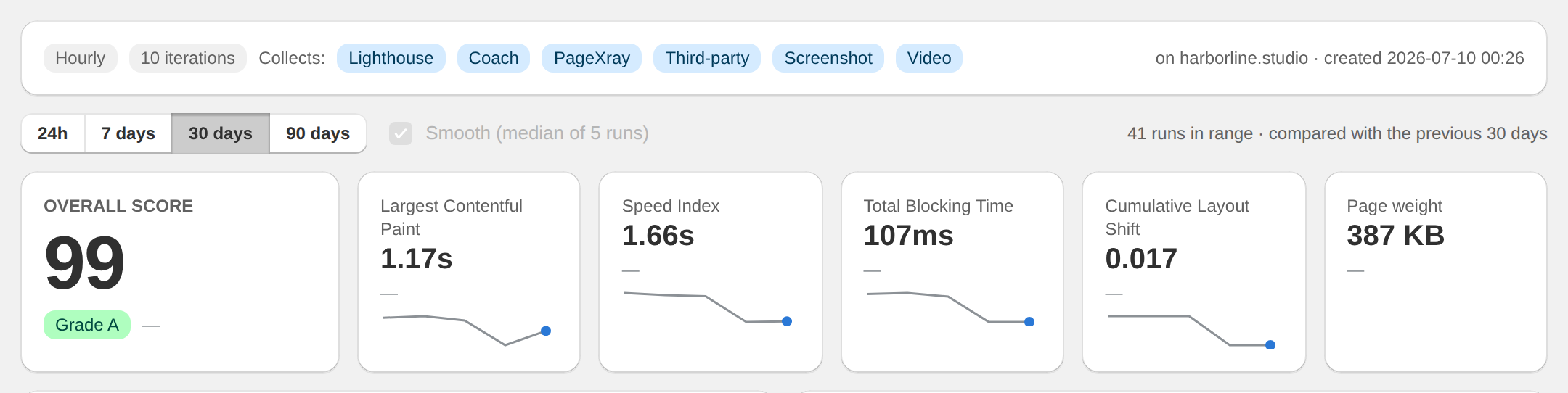
Every monitor rolls up to a single graded score, then shows its work: Largest Contentful Paint, Speed Index, Total Blocking Time, layout shift, and page weight, each compared with the previous period. Perfect for the Monday morning "is the store okay" check.
- An overall grade per page, readable by anyone on the team, not just developers.
- Every metric carries a sparkline and a delta against the previous period.
- If a run could not collect every signal, the score is flagged as partial data instead of quietly guessing.
Get on the Shopify list.
The app is pending Shopify App Store review. Drop your email and we will reach out as soon as it goes live.