Find the app that is slowing down your store.
Every app you install adds scripts, and most keep loading on every page view whether you use them or not. Raptify measures your store on a schedule, categorizes every third party request, and charts speed before and after each install, so "which app did this" stops being a guess.
The problem
Apps are the number one cause of slow Shopify stores.
Your theme loads once. Apps pile up: reviews, upsells, chat, analytics, heat maps, popups. Each one ships JavaScript to every visitor, and the cost accumulates quietly until the store feels heavy and nobody remembers why.
Scripts outlive the app
Some apps leave code in your theme after uninstall. Raptify keeps watching the wire, so leftover scripts show up in the third party report even when the app is long gone from your admin.
The cost hides in the aggregate
No single app "feels" slow. Ten apps at 80 milliseconds each is nearly a second of main-thread work. Raptify tracks total third party requests and JS volume so the aggregate is a number, not a feeling.
Trials never get cleaned up
That popup app you tried in March may still be loading on every page view. A categorized request list makes orphaned scripts easy to spot and easy to justify removing.
How you catch it
Install the app. Check the chart tomorrow.
Raptify scans your store on a schedule, so every app install gets a natural before-and-after experiment with zero setup.
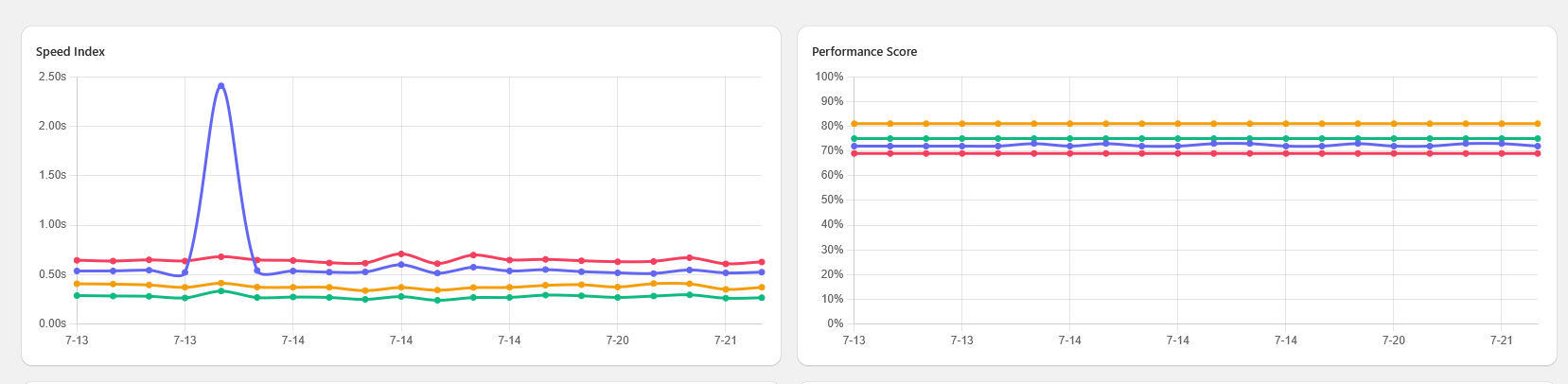
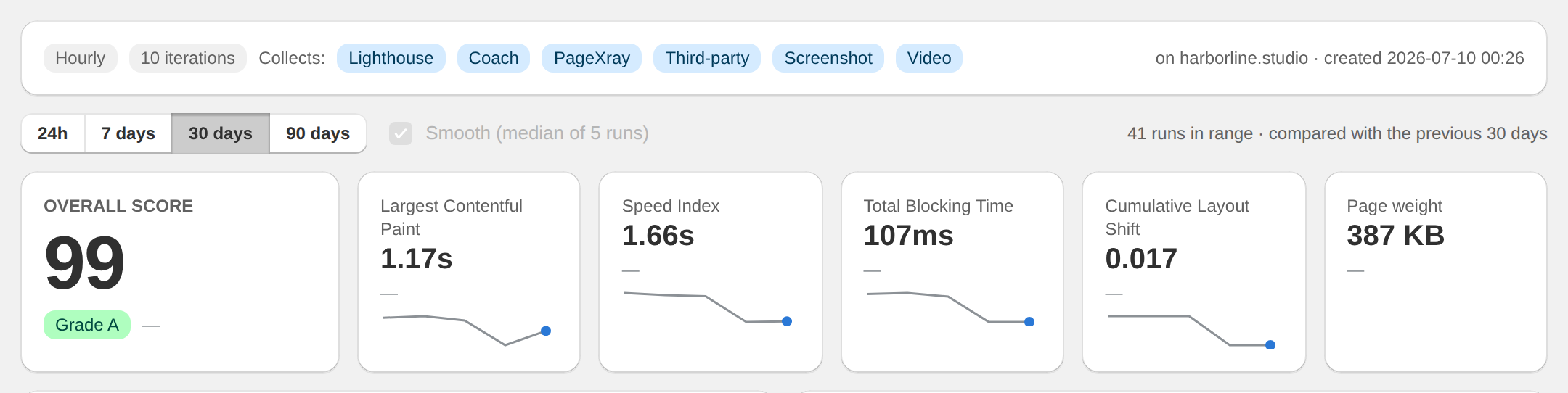
- Speed Index, LCP, and Total Blocking Time charted daily. An app that costs you 300 milliseconds shows up as a step in the line.
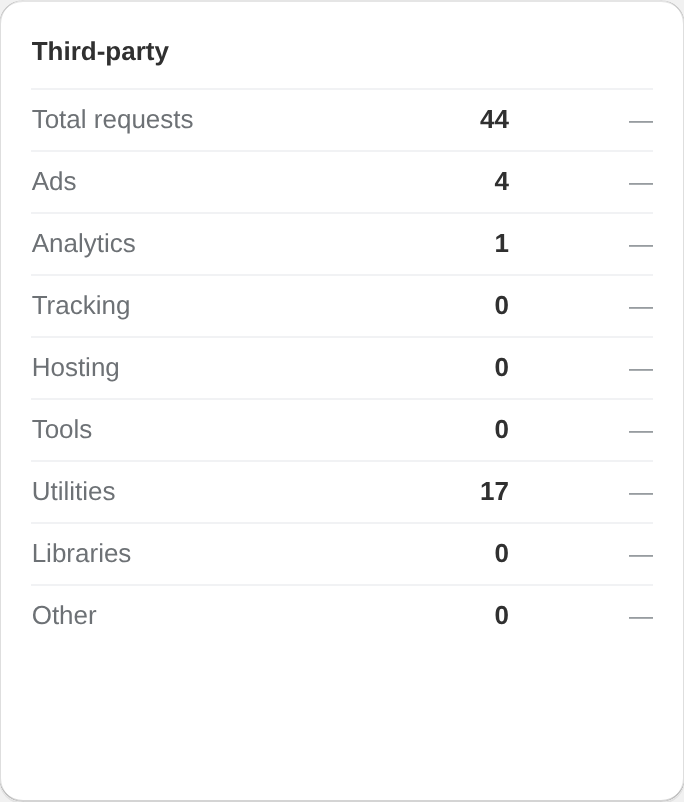
- Every third party request categorized: ads, analytics, tracking, tools, utilities, libraries.
- New third parties are visible the run after they ship, tied to the date they appeared.
- Screenshots on every run, so visual changes from app widgets are on record too.
Zero risk to your store
Raptify adds nothing to your storefront.
It would be a strange speed tool that slowed your store down. Raptify watches from the outside, loading your pages in a real Chrome browser the way a customer does.
- No theme edits, no Liquid changes, no script tag.
- Installs from the Shopify App Store in two clicks; billing on your Shopify invoice.
- Scan home, collection, product, cart, and checkout pages on a schedule.
Questions
Shopify app performance, answered.
Do Shopify apps really slow down my store?
Most do, some badly. Any app that renders on the storefront ships JavaScript to your visitors, and many load on every page even when they only work on one. The impact ranges from a few milliseconds to over a second of blocking time.
How do I find out which app is the problem?
Measure continuously and read the trend. When speed steps down the day after an install, you have your answer. Raptify pairs the trend chart with a categorized third party list so you can match the new requests to the new app.
Does uninstalling an app remove its scripts?
Not always. Apps that edited your theme can leave code behind after uninstall. Because Raptify measures actual requests on the wire, leftovers keep showing up in the report until they are actually gone.
Will Raptify itself slow my store down?
No. Raptify never adds anything to your storefront. It loads your pages from outside on a schedule, the same way a shopper's browser does, and measures what it sees.
Audit your app stack with data.
The app is pending Shopify App Store review. Tell us about your shop and we will reach out as soon as it goes live.